

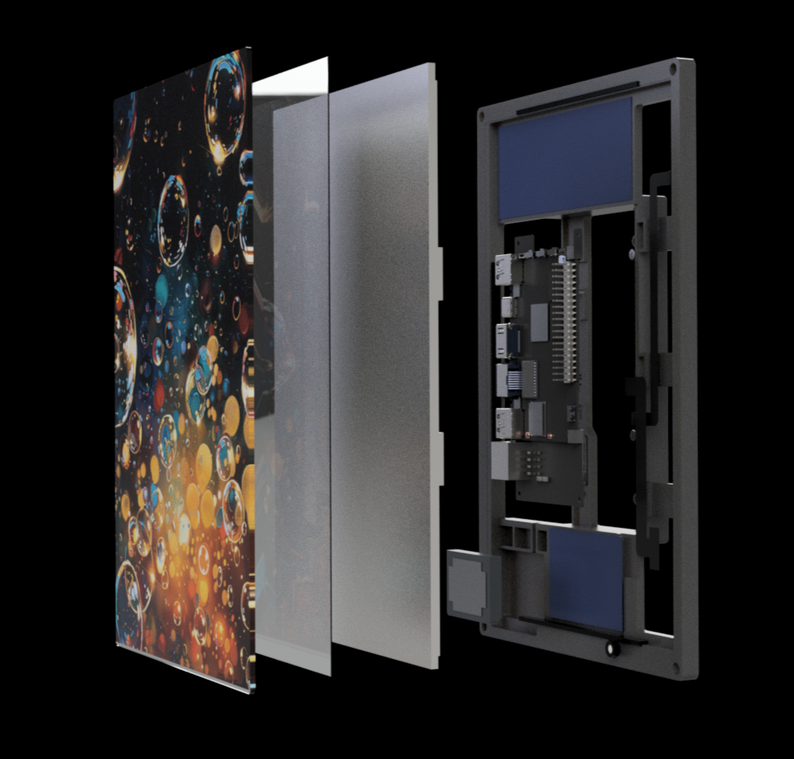

The gateway has the following interfaces associated with its functions:
Buttons
The buttons are located on the side of the device.
| Button | Function |
|---|---|
| PWR (Power) | This button powers on the gateway. It doesn't do anything when the gateway is already on. |
| FUN (Function) | Press Once: Turn on the WIFI. The gateway will say 8 numbers you need to insert in the connect application. Hold 3 seconds: This will show the current signal reception of the gateway. The signal reception is shown on the table below. Hold 6 seconds: This will trigger a direct call with the people in the elevator, the call can be cancelled with a button press. |
| R (Reset) | This will reset the gateway. It does not mandate a factory reset. |
Reception status
If the FUN Button is triggered for 3 seconds, the gateway will show the reception on the device.
| Signal strength | LED |
|---|---|
| No Signal | red, red, red |
| 20% | orange, red, red |
| 40% | orange, orange, red |
| 60% | orange, orange, orange |
| 80% | green, orange, orange |
| 100% | green, green, green |
Ports
| Port | Function |
|---|---|
| Power | 24V DC Power input |
| Relay | 1-6 Relay config |
| Digital Input | Coming soon: Configurable digital input |
| MicroMatch | External alarm button for the shaft PIT |
| USB-A | - |
| USB-C | Optional: Power interface |
| HDMI | Optional: debugging interface |
| Ethernet | Local controller interface |
| USB-A | - |
| POE | For the smart display |
| SMA Female | External 4G Antenna |
Last updated 2 months ago
Was this helpful?